
 Version française
Webcam or Kinect?
Every camera works with headtracking. The best value is a second-hand Kinect v2, but a webcam you already own costs nothing, and the automatic calibration gives it real 3D too.
| Camera | Tracks on | Head distance | Minimum distance |
|---|---|---|---|
| Kinect v2 (Xbox One) | Infrared: the sensor lights the scene itself | Measured by the depth sensor | About 0.5 m (hardware limit) |
| Kinect v1 (Xbox 360) | Colour to find the cabinet, then infrared for tracking | Measured by the depth sensor | About 0.8 m (hardware limit) |
| Webcam | Colour image | Worked out from your shoulder width | About 0.4 to 0.5 m: head and shoulders must fit in the picture; a wide-angle lens lowers it |
Kinect v2 (Xbox One): the sweet spot
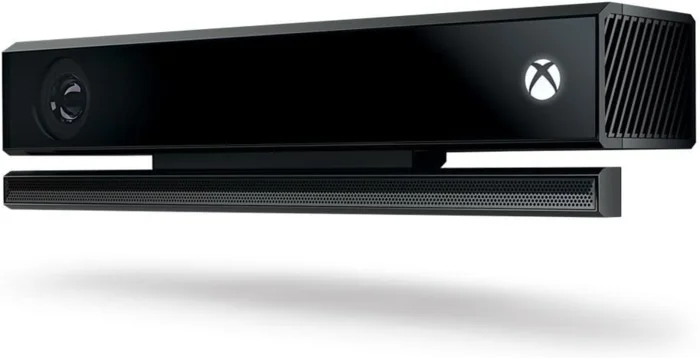
- Cheap second-hand, since Microsoft discontinued it: from about €20 on classifieds such as leboncoin or eBay.
- It tracks on its infrared stream: the sensor lights the scene itself, so you get 30 images per second in a pitch-dark game room where a webcam struggles.
- Its depth sensor measures the distance of your head in millimetres instead of estimating it.
- Budget for the Kinect Adapter (power supply and USB 3.0, about €29 new) unless the listing includes it: check before buying.
- Plug it into a dedicated USB 3.0 port on the back of the motherboard. It will not show up behind a shared hub.
Kinect v1 (Xbox 360)
Even cheaper and field-tested too. Its resolution is lower, but it is perfectly usable: it uses colour to find the cabinet, then tracks in infrared with its depth sensor. Its minimum distance of about 0.8 m can be a problem on small cabinets.
Webcam
A plain webcam works: the calibration from the lockbar and rails recovers its focal length, and the distance of your head comes from your shoulder width. It tracks on the colour image, so a dark game room is harder for it than for a Kinect. Head and shoulders must fit in the picture.
Mounting
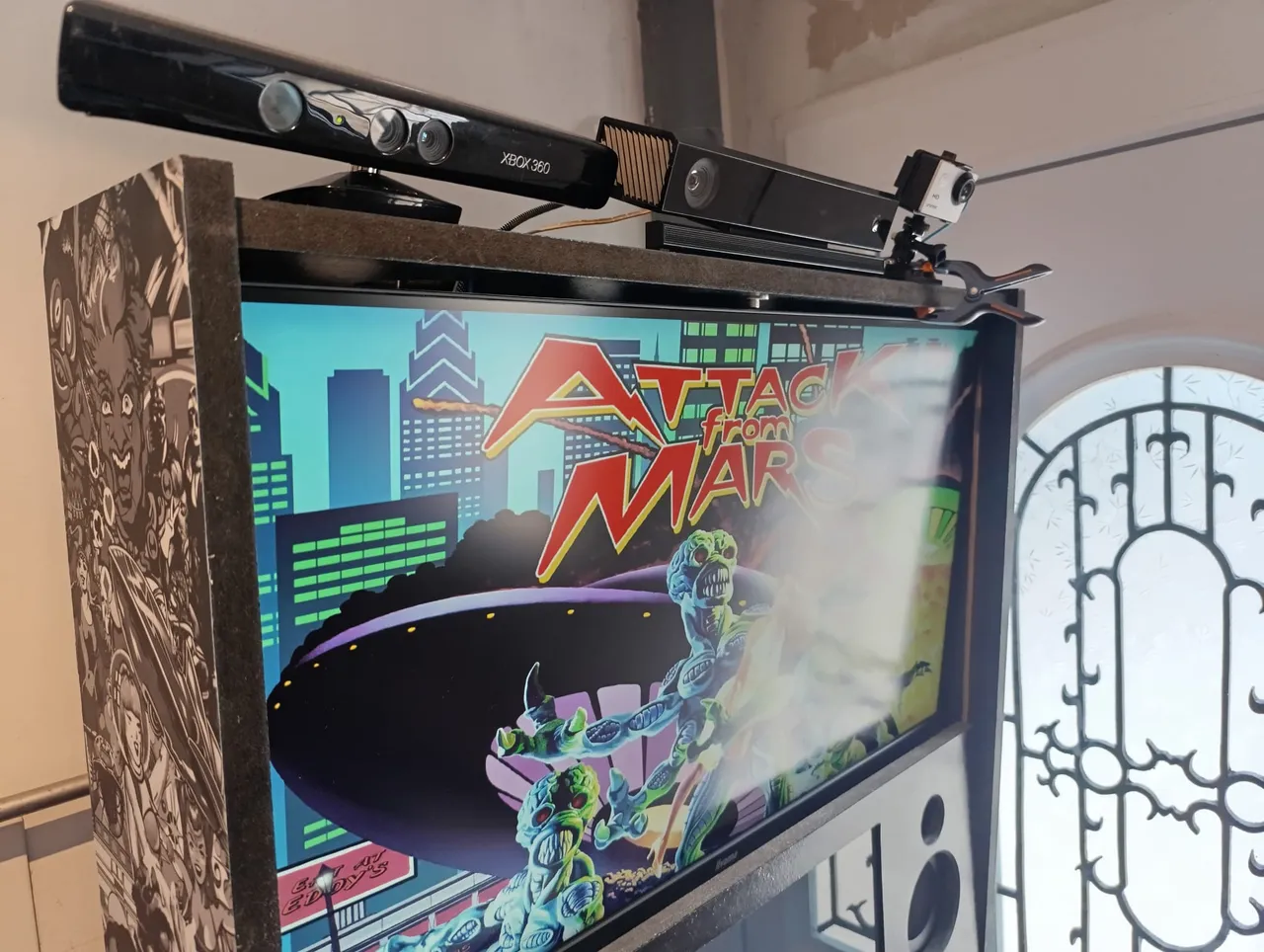
- Put the camera on top of the backbox (backglass) or the topper, facing the player. It must see the lockbar and the side rails for the calibration, and your head and shoulders for the tracking.
- A 1/4"-20 screw assortment kit is all it takes to fix the sensor. The project keeps a ready-made Amazon “Headtracking” list with the Kinect Adapter and a screw kit.
- Mounting the camera high and angling it down increases the distance to the player's head, which helps with the minimum distances above.
- If left and right (or up and down) come out reversed because of an unusual mounting, use the Invert settings of the plugin.
Minicabs and small cabinets
Head tracking works on a minicab, but the short distance between the player and the camera decides everything.
- Player 60 cm or more from the camera: the second-hand Kinect v2 stays the best pick.
- Player closer than about 60 cm: a wide-angle webcam is the better option. It has no hard distance floor, and minicabs often live in lit rooms where the Kinect's own infrared light matters less.
- The Kinect v1 is risky on a minicab: its 0.8 m floor is often more than the whole distance from the player to the backbox.
- Enter your real lockbar width in VPX: a minicab's lockbar is much narrower than a full-size one, and the calibration is based on that value. Enter the screen inclination as on a full-size cabinet.
- The detection of the lockbar and rails works at any cabinet size, and a close camera even sees them bigger. The model has never seen a minicab, so a capture of yours is especially welcome.
More details: docs/MINICAB.md.