
 Version française
How headtracking works
A camera on the cabinet watches the player. The plugin works out where that camera is from the cabinet itself, finds your head in each image, turns it into a position in millimetres, and moves the Visual Pinball X point of view to match.
The fish-tank effect
When you move your head in front of a real pinball machine, you see the playfield from a slightly different angle: near objects shift more than far ones. headtracking reproduces that on a screen. Visual Pinball X has a Window view layout designed for this: the screen becomes a fixed window into the cabinet, and as your head moves, the plugin moves the viewpoint so the 3D table stays in place behind the glass.
Calibration from the cabinet itself
To turn a head seen in an image into a real position, a program needs to know where the camera is and how it sees (its focal length). Most setups ask you to measure or to go through a calibration routine. headtracking uses what every cabinet already has: the lockbar and the two side rails.
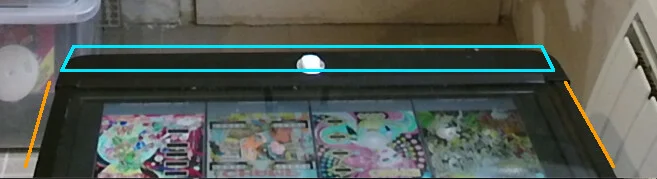
- A neural network called the anchor model finds the lockbar and the rails in the camera image. There is one model for colour images and one for infrared images.
- Together they form a rectangle of known shape. Seen in perspective, it gives the camera's focal length and its position relative to the table, using vanishing points and a plane homography. The maths have been checked to within 0 to 3 % of a tape measure.
- The real size comes from your lockbar width, which you enter in VPX. Your screen inclination tells the plugin how the playfield is tilted. These are the only two values to enter; measure them, do not guess.
- When a table starts, the plugin looks for the cabinet for a while, keeps its best detection, and shows the camera position it found in a VPX notification. If it recognizes nothing, it still tracks your head relative to your starting position, just without that notification.
Finding your head
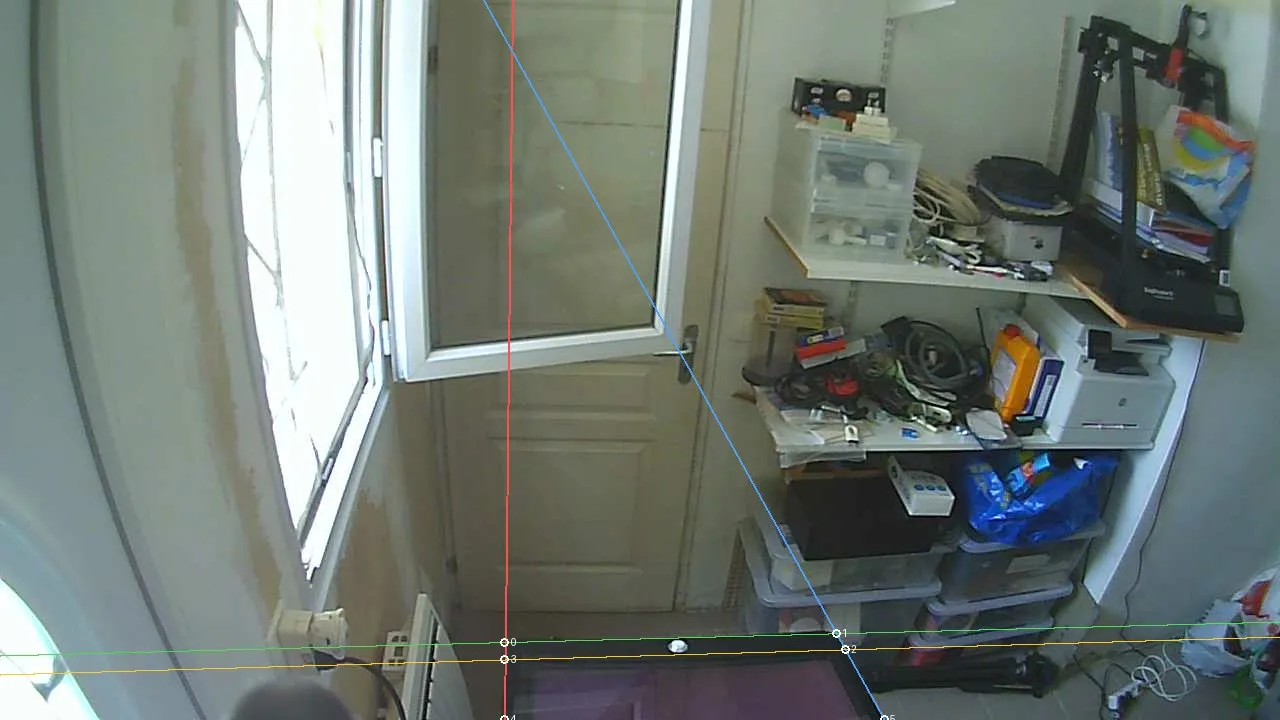
The head is found by BlazePose, a body-pose model that runs in a few milliseconds per image. It finds the head, the shoulders and the wrists at once, including on infrared images. It is a body detector, not a face detector: a face detector loses track as soon as you lean over the playfield and the camera only sees the top of your head. The flip side is that your bust (head and shoulders) must be in the picture.
Measuring the distance
- Kinect v2 and Kinect v1: the depth sensor measures how far your head is, in millimetres. Both track on their infrared stream, lit by the sensor itself, so they keep working in a dark game room. The Kinect v2 holds 30 images per second in infrared.
- Webcam: the distance is worked out from the width of your shoulders, using the focal length recovered from the cabinet. That is what turns a single webcam into a 3D head tracker.
See choosing a camera for the practical differences.
Inside Visual Pinball X
- headtracking is a plugin for the plugin system of Visual Pinball X 10.8.1 and later. It is enabled and set up from the in-game menu, F12 → Plugin Settings → Head Tracking.
- The tracking runs on its own thread; VPX reads the latest head position each frame without waiting, and the plugin updates the view.
- The first stable head position of a game becomes the neutral position. Holding the lockbar button for 2 seconds recenters on your current position.
- Smoothing presets (Stable, Normal, Reactive, or Custom) filter the tremor out of the movement, and every setting can be changed live while you play. See the settings.
- Problems are shown on screen, not only in a log: for example when no camera is found, or when another program is already using the Kinect.
The demo app
Each release also contains headtracking-demo, a standalone program that needs no VPX. It shows the camera picture with what the detection sees, lets you set the lockbar width and the playfield incline, and opens a 3D parallax window where moving your head moves the scene, a quick way to judge the tracking. It also offers a one-click fix when a Kinect is plugged in but cannot be opened, and the 🎁 Contribute button that shares a capture of your cabinet.
Everything in one plugin
The Kinect libraries (libfreenect and libfreenect2), libjpeg-turbo and the ONNX runtime that runs the neural networks are built into the plugin, and the models are embedded in the program. There is no Microsoft Kinect SDK and no Python to install. The whole project is written in Rust; CLAUDE.md describes the architecture for developers.