 Version française
Support Step Recorder
A free, open-source replacement for Windows' Problem Steps Recorder (psr.exe), for
Windows, macOS and Linux. On every click, ssr captures the window, notes the mouse button and the text
typed since the previous click. When you stop, it saves a .zip with the screenshots and an HTML report
that you can send to support or keep as a step-by-step how-to.
Why a new steps recorder
Microsoft has deprecated Steps Recorder (psr.exe) and plans to remove it from a future version of
Windows. It only ever existed on Windows. ssr keeps the same idea, a screenshot at each click and a
readable list of steps in one file, and runs on Windows, macOS and Linux, under X11 as well as Wayland.
What it does
- Capture on click: the screenshot shows the state at the click, like the real PSR, so a filled form is captured before it is sent.
- Typed text: what you type between two clicks becomes a step of its own, placed before the click.
- Window details: the title and application of the window, and on Windows, macOS and X11 a red ring where you clicked.
- Wayland support: screen capture through
xdg-desktop-portaland PipeWire (GNOME, KDE, wlroots…), with a consent dialog asked once and then remembered. Linux & Wayland setup. - Small files: WebP screenshots, and window captures trimmed to their content, without black borders.
- Never blocks: image encoding and disk writes run in a background thread, so clicking stays instant.
- Replayable HTML report: step-by-step replay mode, click a screenshot to zoom it, keyboard navigation.
- English and French interface, picked from your locale and switchable with the
FR/ENbutton.
The report
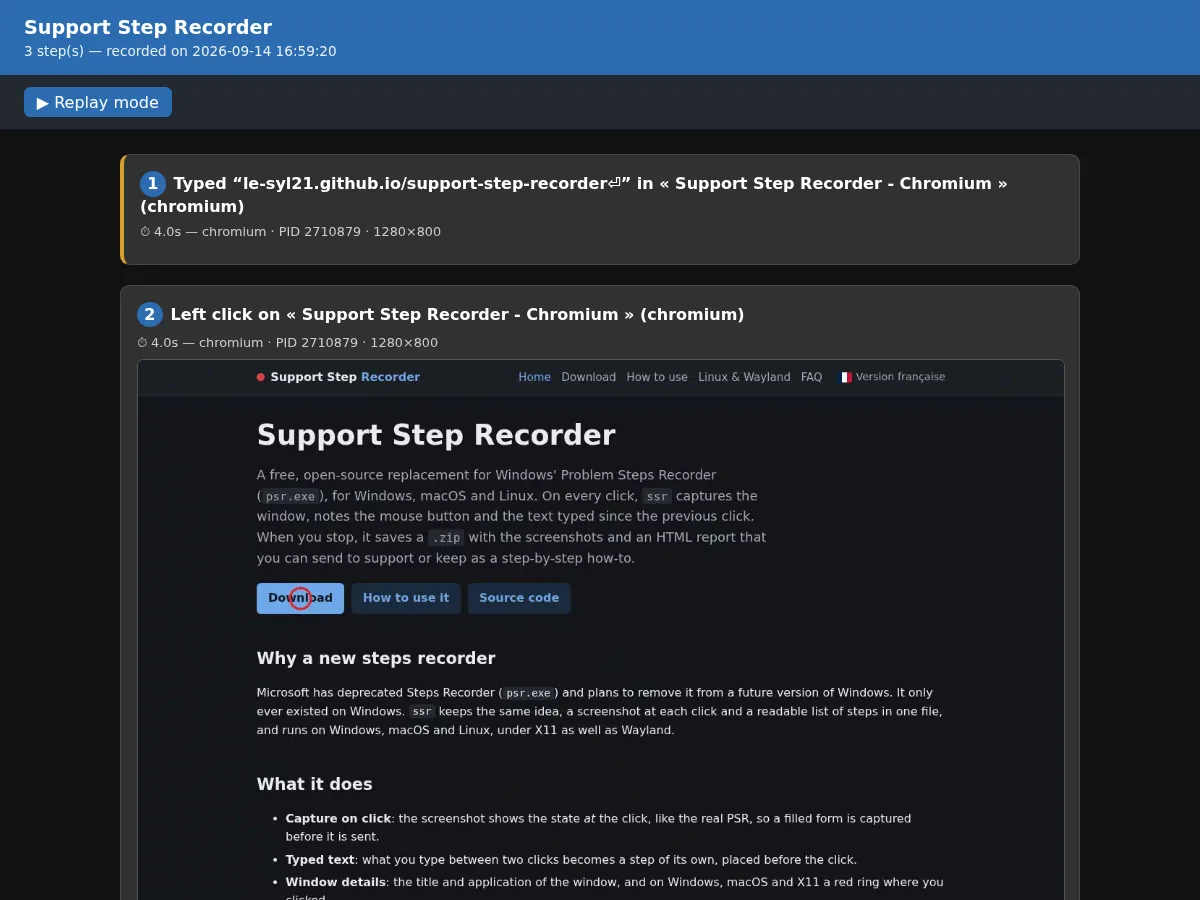
The .zip holds report.html, one step-XXXX.webp per click and a
steps.json for tools. Details in what the ZIP contains.
Platforms
Record in three steps
- Click Start.
- Do what you want to show: clicks, typing.
- Click Stop, choose where to save, and the
.zipwith the HTML report is written there.
Questions, bug reports, beta testing: Discord or GitHub issues.